Integrating with eBay will allow LABL to automatically import all order and product information for easy processing. Order status and tracking information will then automatically be sent back to your eBay seller portal.
-
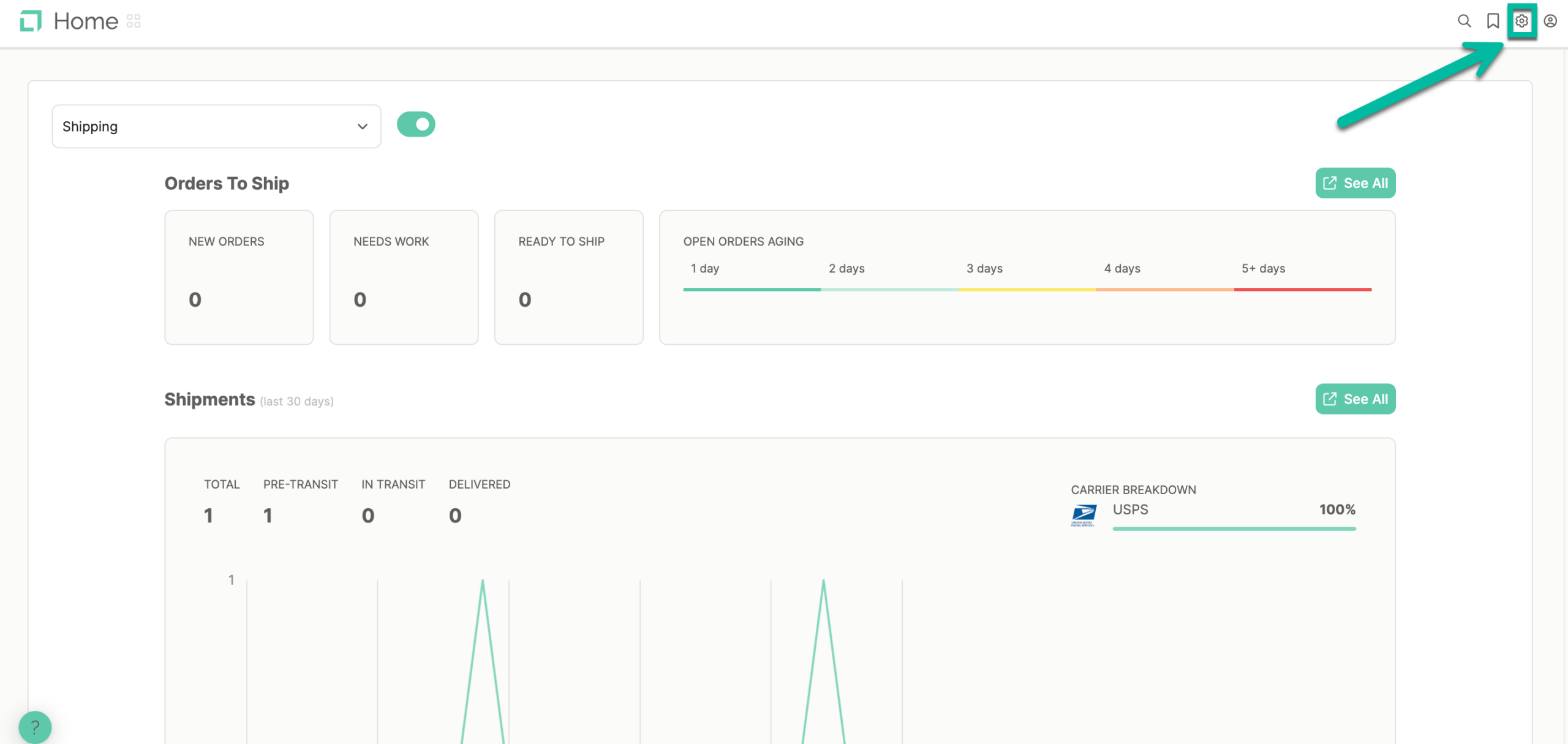
Click on the "Settings" icon from the dashboard
-
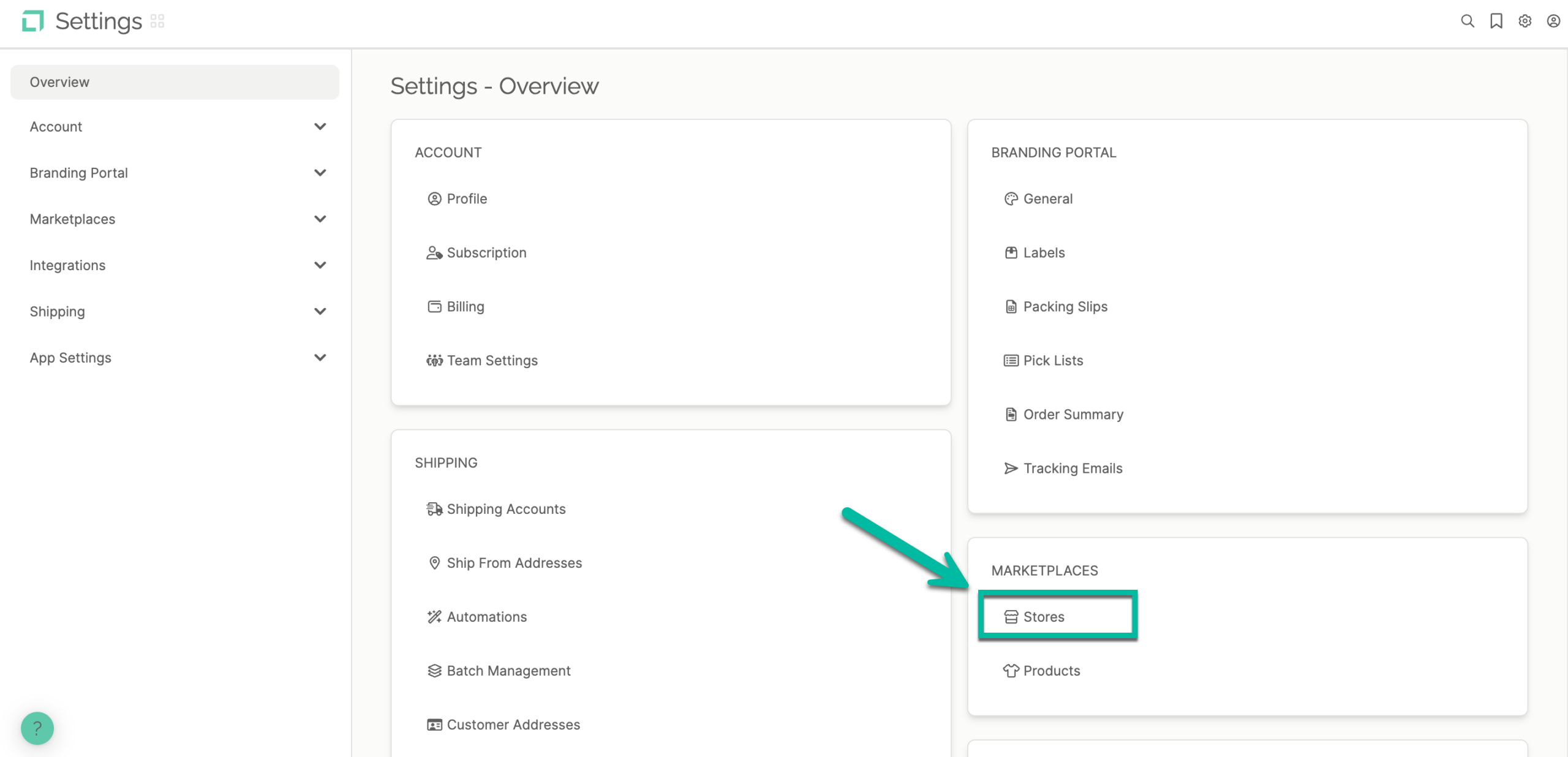
Click on "Stores" under "Marketplaces"
-
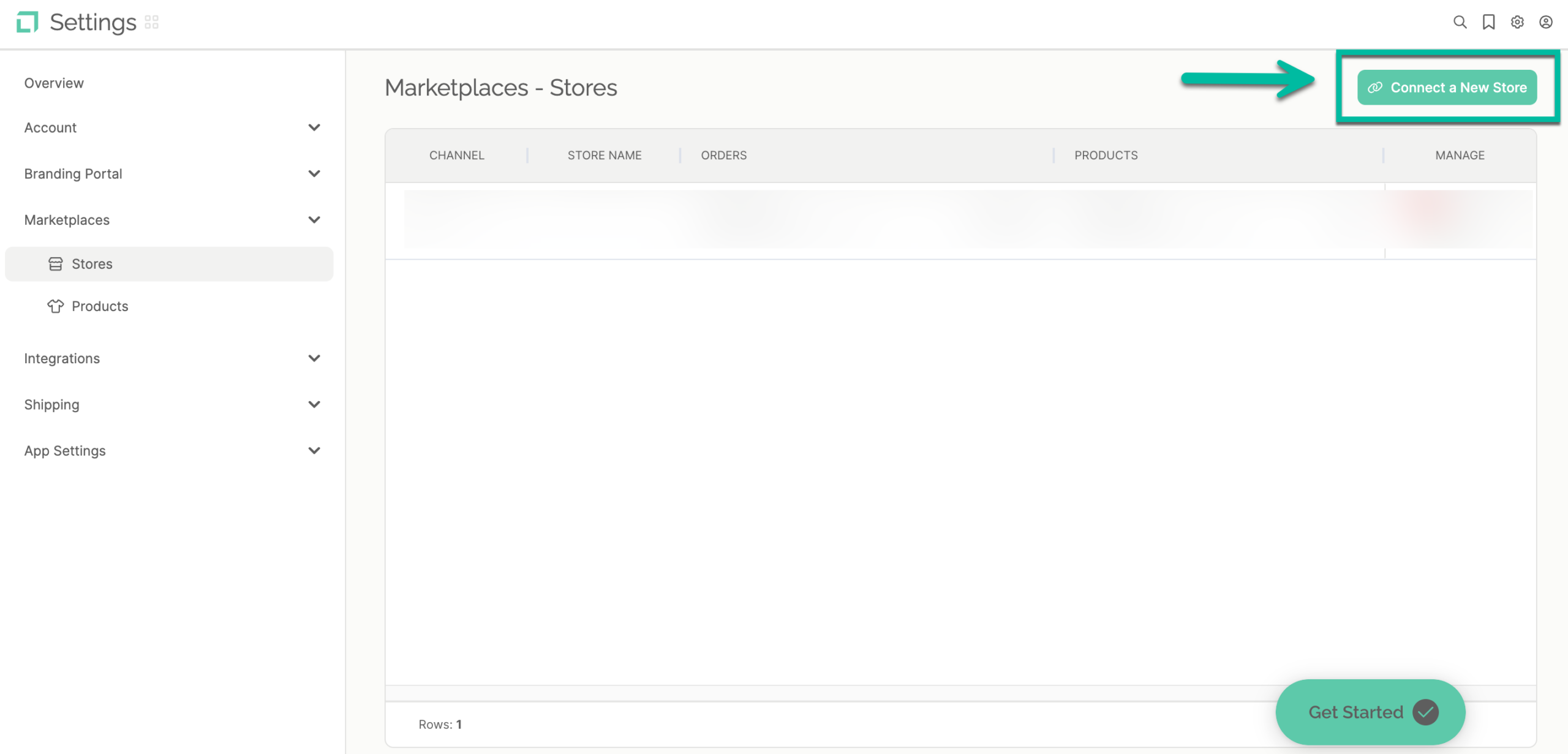
Click on "Connect a New Store"
-
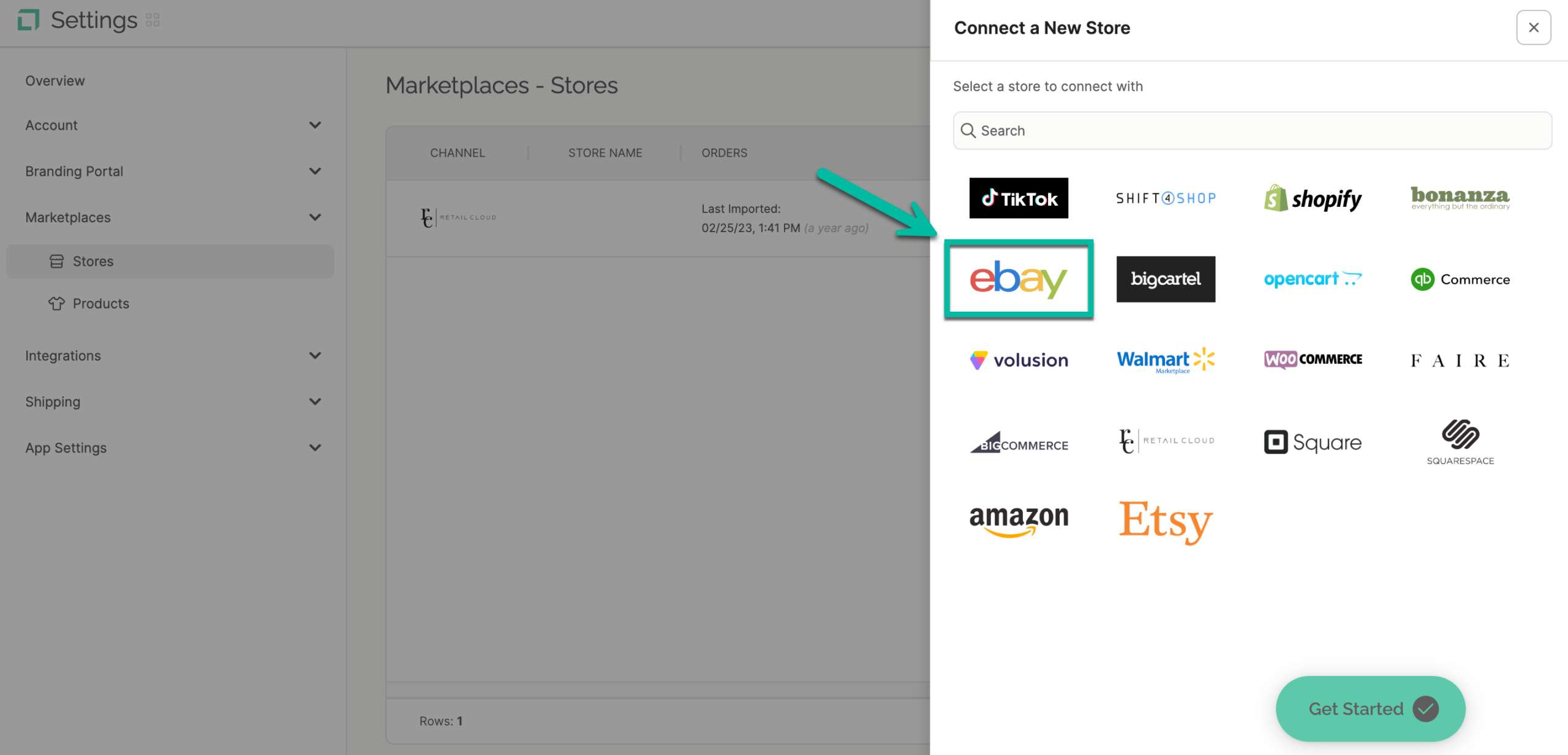
Click the eBay icon on the store's channel list
-
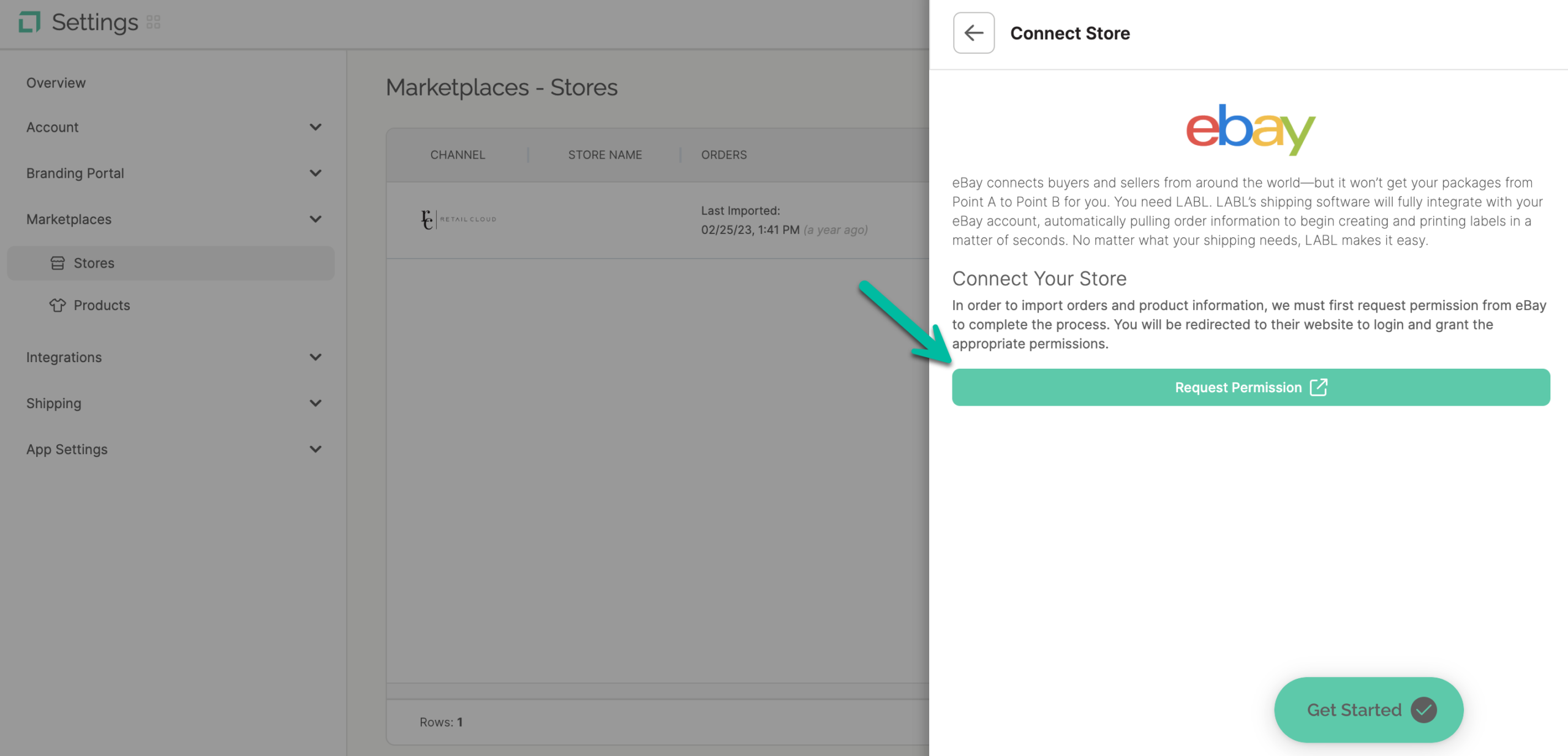
Click "Request Permission" to integrate your eBay store with LABL
-
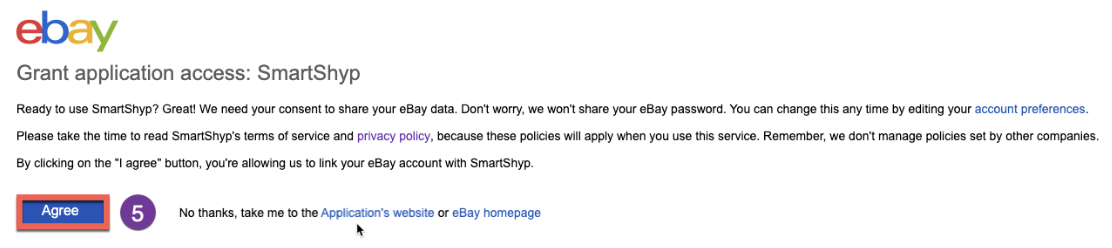
Once you are logged in successfully, click "Agree" to successfully connect your store.
You will now see a message that confirms your store was connected successfully.